Launching Loam: Markdown Notes You Can Write Together
On this page
A while ago I wrote that I’d gone back to Apple Notes. My notes showed up on every Apple device without me thinking about it, and that won. But I missed Markdown, so anything longer than a shopping list ended up in iA Writer.
That left my notes split across two apps, and neither one let me share a note with someone and write in it at the same time. The Markdown apps I liked didn’t do live co-editing either.
So I built Loam.
What Loam is
Loam is a notes app for macOS, Linux, the web, iPhone, iPad and Android. Every note is a plain Markdown document. The editor styles it as you type, so a heading looks like a heading and bold text looks bold, but the # and ** stay in the text where you can see and edit them. If you’ve used Bear, this part will feel familiar.
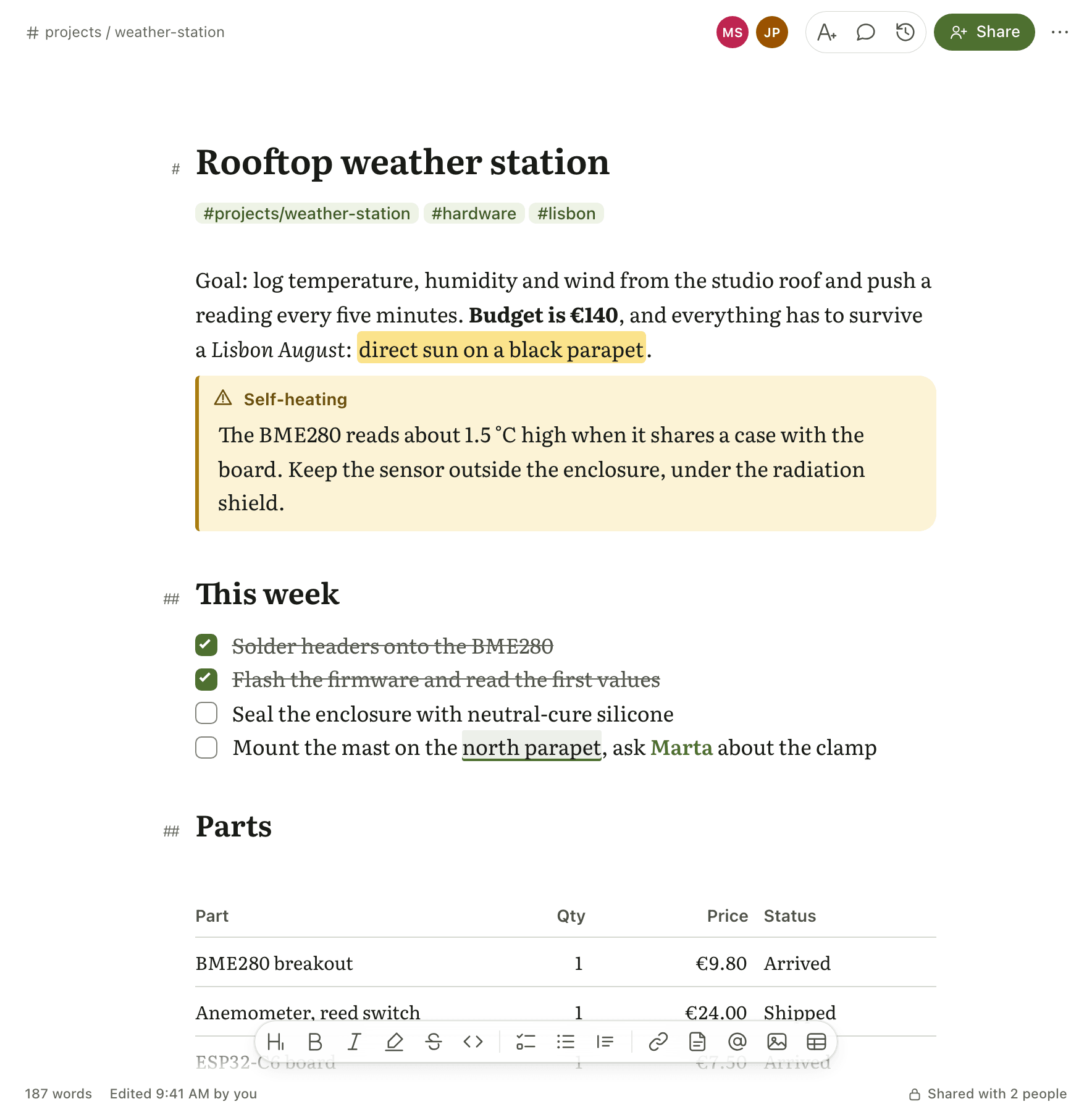
On top of plain Markdown:
- Nested tags. Tags can nest, like
#projects/weather-station, and you write them anywhere in the note. - Note links. Type
[[, pick a note, and the link keeps working after you rename it. Each note lists the notes that point to it under “Linked from”. - Mentions. Type
@to mention someone the note is shared with. - Themes. There are 22 editor themes, and all of them are free.
Writing together
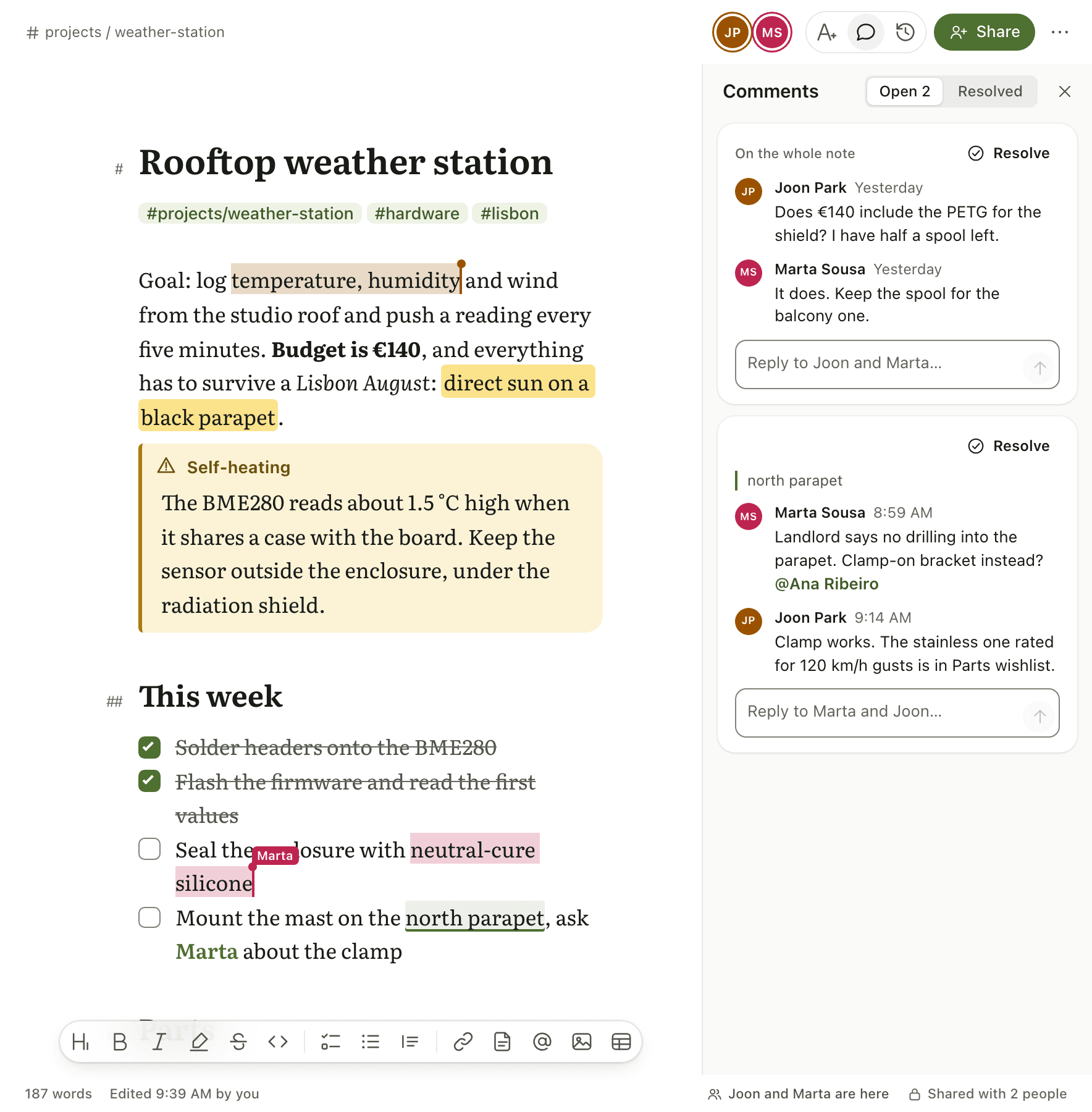
This is the part I was missing. You share a note and give each person a role: editor, commenter or viewer. Editors see each other’s changes as they type, with a cursor and a name for each person in the note. Comments sit next to the text they’re about, and version history lets you go back to any earlier point.
AI agents in your notes
I work with AI agents a lot these days, and I wanted them to read and write my notes from any device, not only on the computer where the agent runs. Loam has a remote MCP server, and it’s listed in Claude’s Connectors Directory.
You approve each agent after you see the scopes it asks for. An agent can search, read, create and edit notes, but it can’t delete one for good. Its edits appear live and are labelled as an agent’s edit, the same way you’d see a collaborator’s.
How it’s built
For the developers reading this:
- Desktop: Tauri 2 with a React frontend. One universal app for Apple silicon and Intel Macs, and an AppImage for Linux. The same frontend runs in the browser as the web app.
- Mobile: Expo and React Native. The editor runs inside a WebView with a typed bridge, so every platform uses the same editor.
- Editor: CodeMirror 6 with a Lezer parser for the Markdown, and Yjs for live editing.
- Backend: NestJS and PostgreSQL, with Hocuspocus handling the live-editing connection.
The WebView editor on mobile is a trade-off. It isn’t a native text view, but the parser is shared: the API and the MCP server use the same rules for titles, tags and links as the apps do, so a tag means the same thing everywhere.
What’s missing
There’s no Windows app yet. It’s planned, but I don’t have a date. Note links work offline, while the “Linked from” list needs a connection.
Pricing
Loam is free on one device, with writing, tags, search and every theme. Loam Pro adds sync, live editing, version history, agent access and publishing notes to the web. It costs US$2.99 a month or US$29.99 a year, and new subscribers get 14 days free.
I’ve argued for one-time purchases on this blog before. Loam is a subscription because everything in Pro runs on a server, and writing on one device stays free.
Try it
Loam 1.4 is out now on every platform. If you write in Markdown and want to share a note without leaving it, give it a try and tell me what’s missing.
App Store | Google Play | Mac and Linux | Web app | Website